WordPress vs Webflow: Which Is Better for South African Small Businesses?
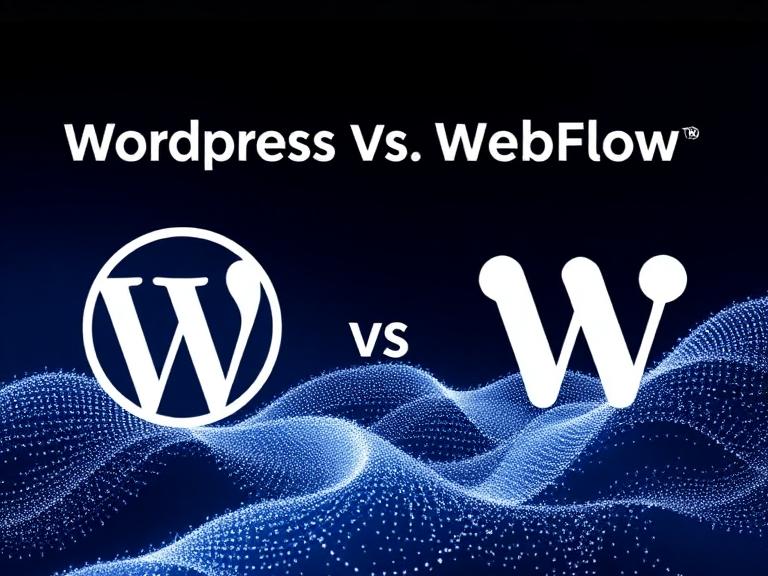
Choosing the right website platform affects cost, control and long-term growth. For South African small businesses, two popular options are WordPress and Webflow.
Both can produce attractive, functional websites, but they use very different approaches.
Below I compare practical business factors - cost, ease of use, customisation, hosting, maintenance, SEO and data protection - to help you choose the best fit.
Platform overview
- WordPress: An open-source content management system that powers a large share of the web. It is flexible through themes and plugins and supported by a wide developer ecosystem. It runs on most web hosts.
- Webflow: A hosted visual website builder that combines design freedom with a code-export option on paid plans. It handles hosting and maintenance as part of the platform.
Cost and pricing
- WordPress: The software itself is free. Main costs are hosting, premium themes or plugins, and developer time. South African shared hosting is inexpensive, while managed WordPress hosting costs more but reduces technical overhead.
- Webflow: Uses a predictable subscription model with site plans and optional CMS or editor plans. There is no separate hosting setup, but monthly fees can add up, especially for multiple sites.
- Which suits who: Budget-conscious owners who can manage hosting or hire local support often save with WordPress. Businesses that prefer predictable monthly bills and no server management may find Webflow easier to budget for.
Design and customisation
- WordPress: Offers a large theme marketplace and plugin ecosystem. Fully custom development is possible with PHP and theme frameworks. Some design tasks require developer skills.
- Webflow: Provides a visual designer aimed at non-coders and designers who want pixel-perfect control. Rapid prototyping and the visual CMS make design changes fast without code.
- Which suits who: If you want full visual control without coding, Webflow is strong. If you need deep custom features or want to use many plugins such as e-commerce or memberships, WordPress is more flexible.
Hosting, performance and reliability
- WordPress: Hosting quality varies. With managed hosts or proper configuration, WordPress sites can be fast and reliable. It requires attention to caching, CDN and updates.
- Webflow: Hosted on Webflow’s infrastructure with a built-in CDN and optimisation, so performance is largely managed for you.
- Which suits who: Businesses without technical support benefit from Webflow’s managed hosting. If you choose WordPress, pick a reputable host and implement caching and a CDN for best results.
Maintenance and security
- WordPress: Requires regular updates to core, themes and plugins. Backups and security hardening are your responsibility unless you use a managed plan or support package.
- Webflow: Platform updates are handled by Webflow and there are fewer maintenance tasks for site owners.
- Which suits who: If you prefer hands-off maintenance, Webflow reduces ongoing work. If you want control over updates and backups and are willing to manage them or pay for support, WordPress is fine.
SEO and content control
- WordPress: Strong SEO capability through plugins like Yoast or Rank Math, and full control over technical SEO elements. It is well suited for content-heavy sites and blogs.
- Webflow: Built-in SEO features in the editor such as meta tags, structured data and redirects, and clean output. The CMS makes simple content publishing easy.
- Which suits who: Both platforms can be SEO-friendly. WordPress is often preferred for larger, content-driven sites. Webflow is ideal for marketing sites where visual control matters.
E-commerce and payments
- WordPress: WooCommerce and other plugins enable robust e-commerce and integration with local payment gateways like PayFast and PayGate. You can implement flexible shipping and tax rules.
- Webflow: Webflow Ecommerce works well for small stores but has fewer native integrations for South African payment gateways and may require third-party middleware.
- Which suits who: For full-featured stores and local payment integration, WordPress with WooCommerce usually wins. For small catalogues or simple stores, Webflow can work if its payment options meet your needs.
Data protection and POPIA
- WordPress: You control where data is hosted and how it is handled, so you can choose South African hosting to address POPIA concerns. You are responsible for implementing consent management, privacy pages and secure storage.
- Webflow: Data is hosted on Webflow’s global servers. You should review Webflow’s data processing and ensure your forms, analytics and third-party tools comply with POPIA.
- Which suits who: If keeping data within South African jurisdiction matters, WordPress with local hosting is easier to align with POPIA. If you use Webflow, check their terms and implement POPIA-compliant measures such as consent and minimal data collection.
Scaling and long-term control
- WordPress: Highly scalable and portable. You own the code and can migrate hosts. The large ecosystem provides long-term flexibility.
- Webflow: Scales for many businesses but depends on a hosted platform. Exporting code is possible but not ideal for complex sites.
- Which suits who: If you want maximum future control and portability, WordPress gives you ownership. If you value convenience over portability, Webflow’s hosted model may be acceptable.
When to pick WordPress
- You need complex features, customised back-end workflows or local payment integrations.
- You prefer hosting choice, including South African hosts, to meet POPIA or latency needs.
- You want an SEO-first, content-rich site or a full e-commerce store using WooCommerce.
When to pick Webflow
- You prioritise rapid, pixel-perfect design changes without coding.
- You prefer an all-in-one hosted solution with fewer technical maintenance tasks.
- Your site is primarily marketing-focused with moderate content and simple e-commerce needs.
Practical recommendation for South African small businesses
- If budget is tight and you want predictable monthly costs with low technical burden and strong visual control, consider Webflow but verify payment gateway needs and POPIA implications first.
- If you want flexibility, local hosting, rich e-commerce or long-term control, choose WordPress with a trusted developer and managed hosting or support.
Example packages for small businesses
- Tradesperson or consultant focused on lead generation and a simple site: Webflow or WordPress basic package both work. Choose Webflow for speed and design, WordPress if you want future expandability.
- Small online store with local payments and shipping rules: WordPress and WooCommerce with PayFast integration.
- Content-driven business such as a blog or resource hub: WordPress for plugin ecosystem and content management.
Both WordPress and Webflow can deliver excellent websites for South African small businesses. The right choice depends on your priorities: control, cost and local compliance.